Image Color Summarizer.
Every hue, analyzed with mathematical accuracy.
Extract exact color palettes from any image, calculate pixel-perfect dominance percentages, and seamlessly export color swatches to Microsoft Excel, HTML reports, and Adobe Photoshop ACO swatches.
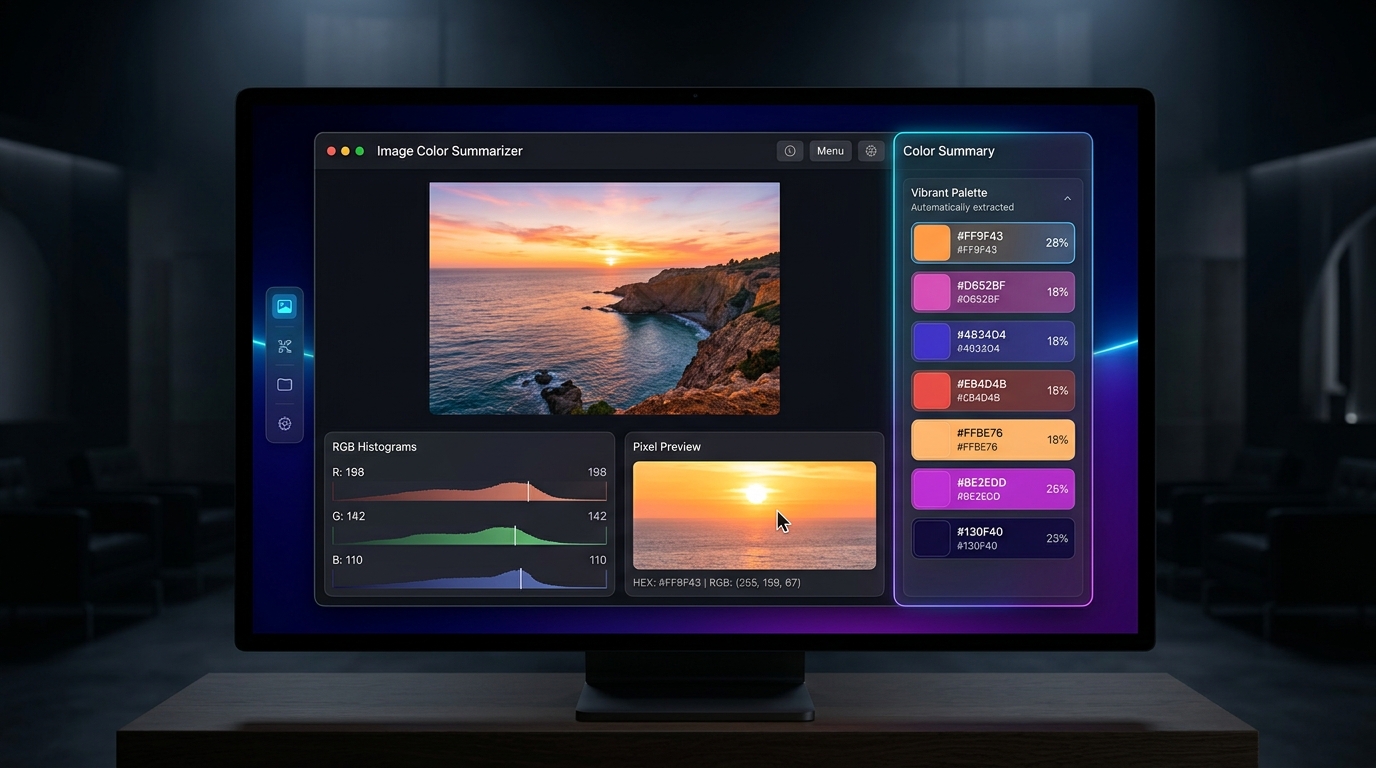
See Image Color Summarizer in Action
Watch how quickly the software ingests high-resolution photos and calculates color percentages.
Click any color to reveal its exact pixel locations
Unlike simple eyedropper tools that inspect a single coordinate, Image Color Summarizer analyzes every pixel in the matrix. When you select a color row from the summary table, the image preview highlights exactly which pixels belong to that hue.
Supported Color Spaces
Provides full mathematical values across professional color profiles:
Automated Batch Image Processing
Have 50, 100, or 500 images in an archive? Use the integrated Batch Image Processing module to automatically analyze whole folders without manual intervention.
- 📊 Excel / CSV Export: Save tables with color names, hex codes, percentages, and RGB channels directly to spreadsheets.
- 🌐 Interactive HTML Reports: Generate client-ready HTML reports complete with visual color swatches and data tables.
- 🎨 Photoshop ACO Palettes: Create native Adobe Color swatch files for immediate import into Photoshop, Illustrator, and InDesign.
Folder-Level Batch Analysis
Select your source folder, set your color clustering parameters, and let the software generate unified summary spreadsheets automatically.
Learn More About Color Analysis
Understand how color clustering algorithms work and how to leverage color extraction for design and research.
Free vs. Pro Comparison
Choose the version that matches your workflow. One-time purchase, no monthly subscriptions.
Free Version
$0Essential single-image color extraction and dominance calculations.
- ✓ Single image color extraction
- ✓ K-Means and MSE clustering
- ✓ Dominance percentage calculation
- ✓ RGB, HEX, and HSL values
- ✓ Live color preview
- ✕ Batch folder processing
- ✕ Microsoft Excel / CSV export
- ✕ Adobe Photoshop ACO swatch export
- ✕ Client-ready HTML visual reports
Pro Lifetime
$1.99 one-timeComplete automation suite for designers, researchers, and developers.
- ✓ Everything in Free, plus:
- ✓ Automated batch processing for folders of 100s of images
- ✓ Microsoft Excel / CSV export with full color tables
- ✓ Adobe Photoshop ACO swatches generation
- ✓ Interactive HTML reports with visual palettes
- ✓ All color spaces: RGB, HEX, HSL, CMYK, RYB, XYZ, LAB
- ✓ Lifetime license via Microsoft Store with automatic updates
Recognized Across the Tech Community
"Image Color Summarizer extracts color palettes with mathematical precision. The batch processing and Photoshop swatch exports make it an indispensable companion for digital artists and developers."
"One of the cleanest, fastest color analysis tools available for Windows. Zero bloatware, immediate histogram rendering, and highly practical report generation."